Everything you need to run your practice
From scheduling to billing, FrostEHR provides a complete suite of tools designed to streamline your healthcare practice.
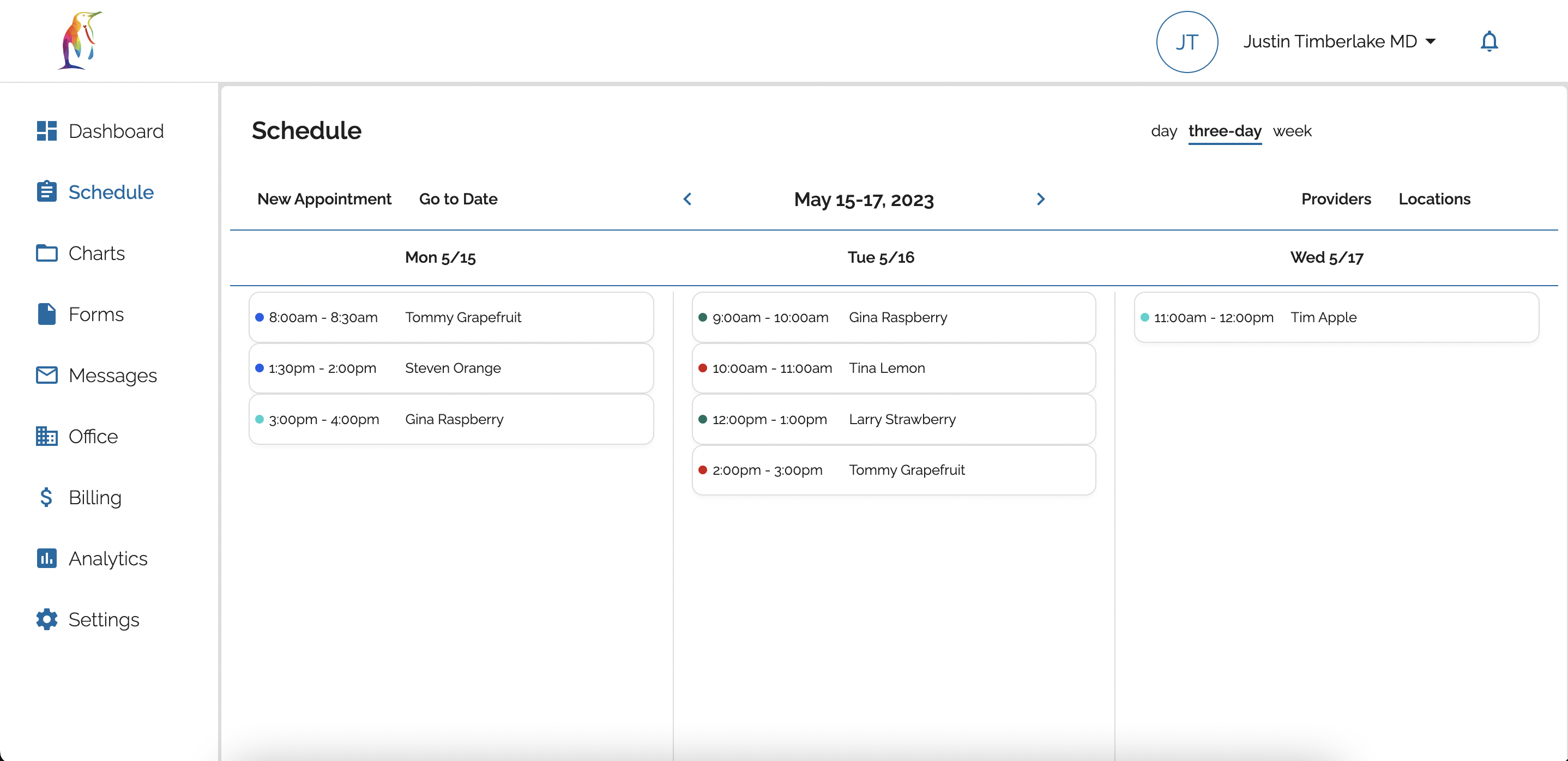
Scheduling
Easily schedule patients yourself or allow patients to schedule themselves on the patient portal. Add patients to your waitlist if their desired appointment time isn't available. Provider schedules can be customized to accommodate different practice locations and services. Email reminders and text reminders available for all appointments. FrostEHR also includes a convenient built-in telehealth system for televisits.
checkEmail & text reminders
checkCustomized provider schedules
checkBuilt-in telehealth system
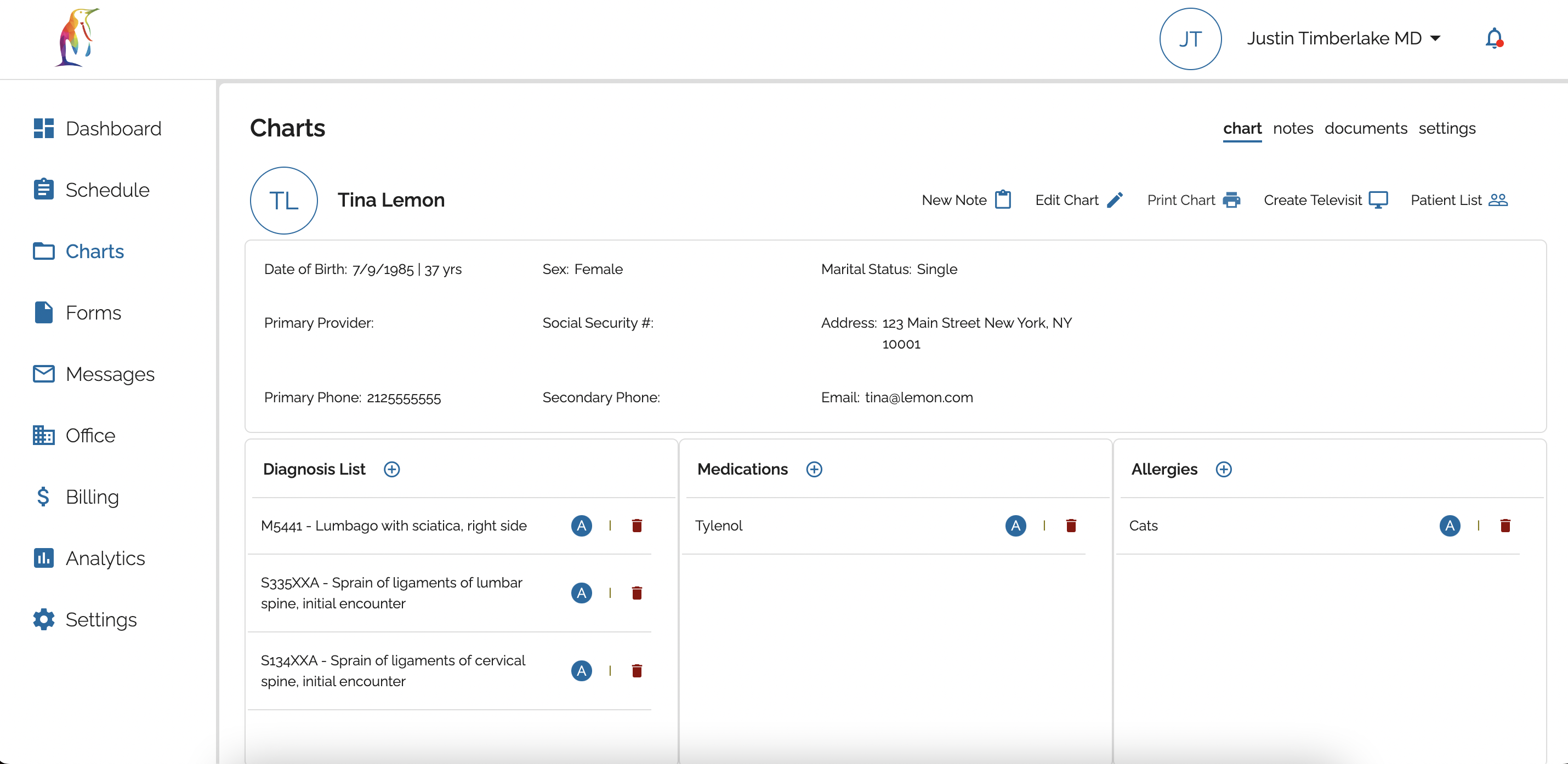
Charts
Create patient charts manually or automatically create new patients from appointment requests. Submitted forms can be imported directly into chart notes to streamline documentation. Diagnosis and procedure codes added to chart notes can be automatically included in the billing encounter. Custom note templates and option to dictate notes also available.
checkCustom note templates
checkImport forms into notes
checkAuto-populate billing encounter
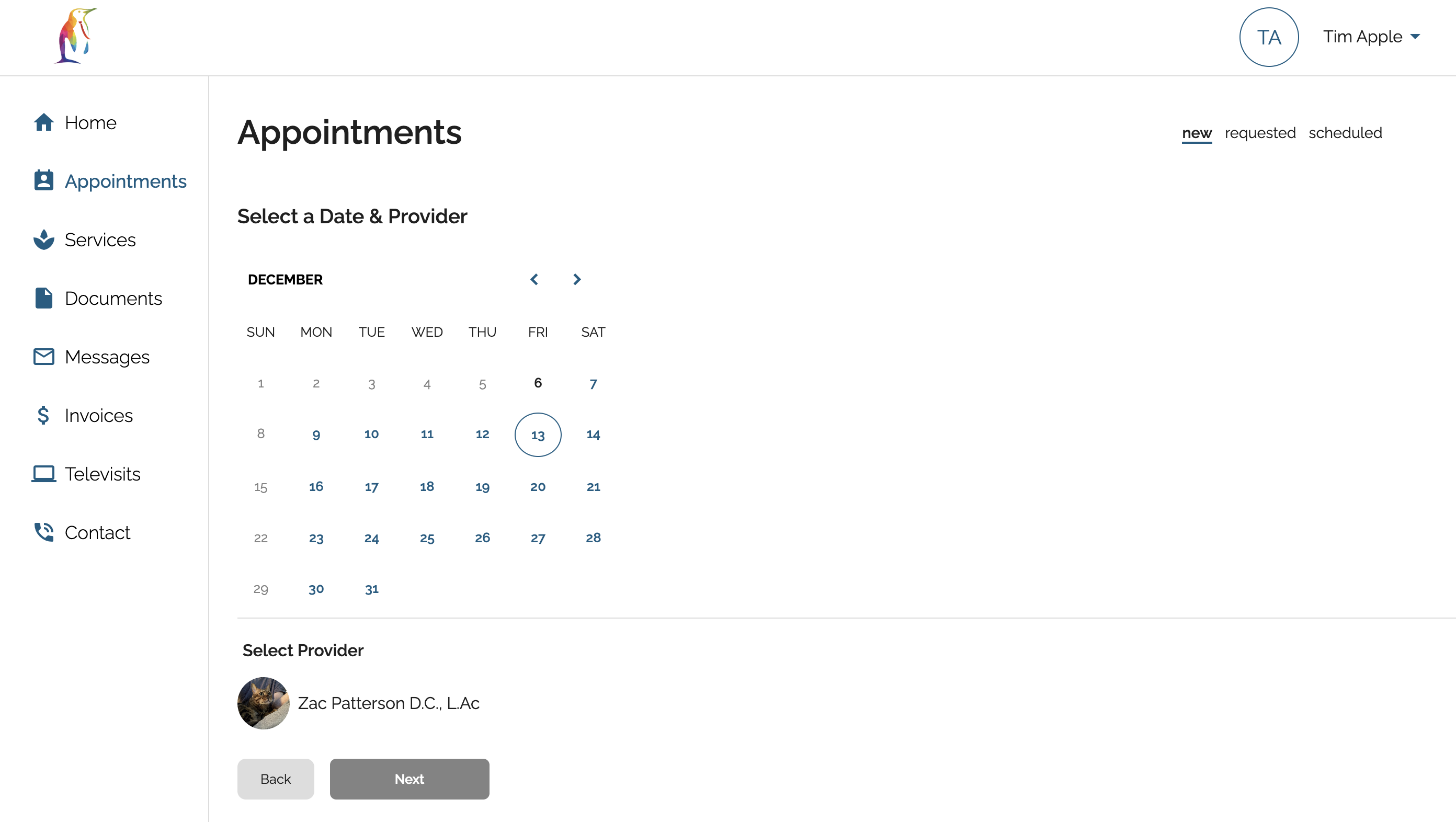
Patient Portal
FrostEHR includes a convenient patient portal where your patients can read about your practice's providers, check out your services, schedule appointments, pay invoices, fill out forms, upload documents, and send secure messages. Your patients can access their telehealth appointments from the portal as well.
checkFill clinic forms
checkUpload documents
checkSecure messaging
Invoices
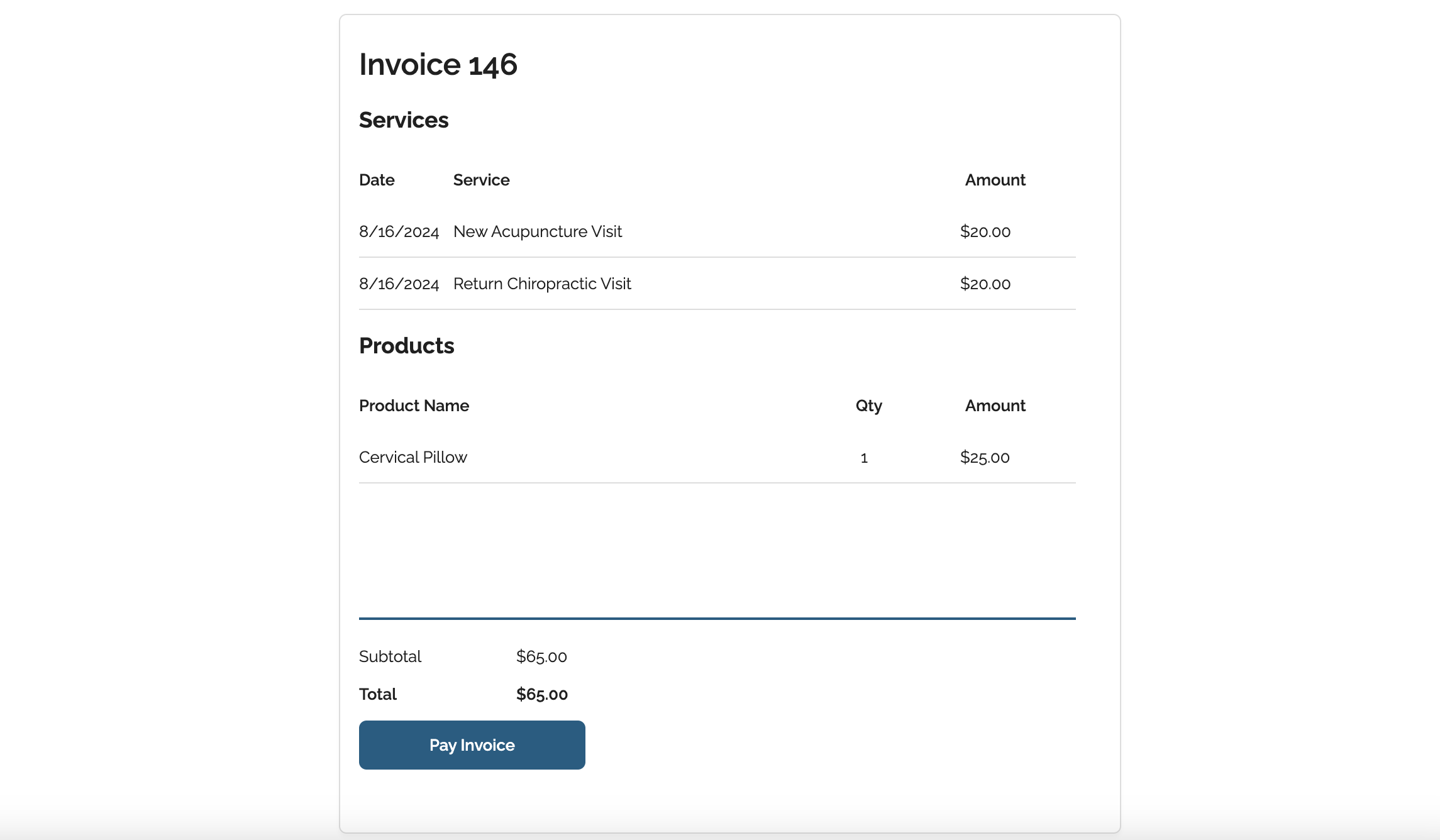
Create and send invoices to your patients easily with the FrostEHR billing system.
checkEmail invoices
checkPay through EHR or on patient portal
checkIncludes products and services
Payments
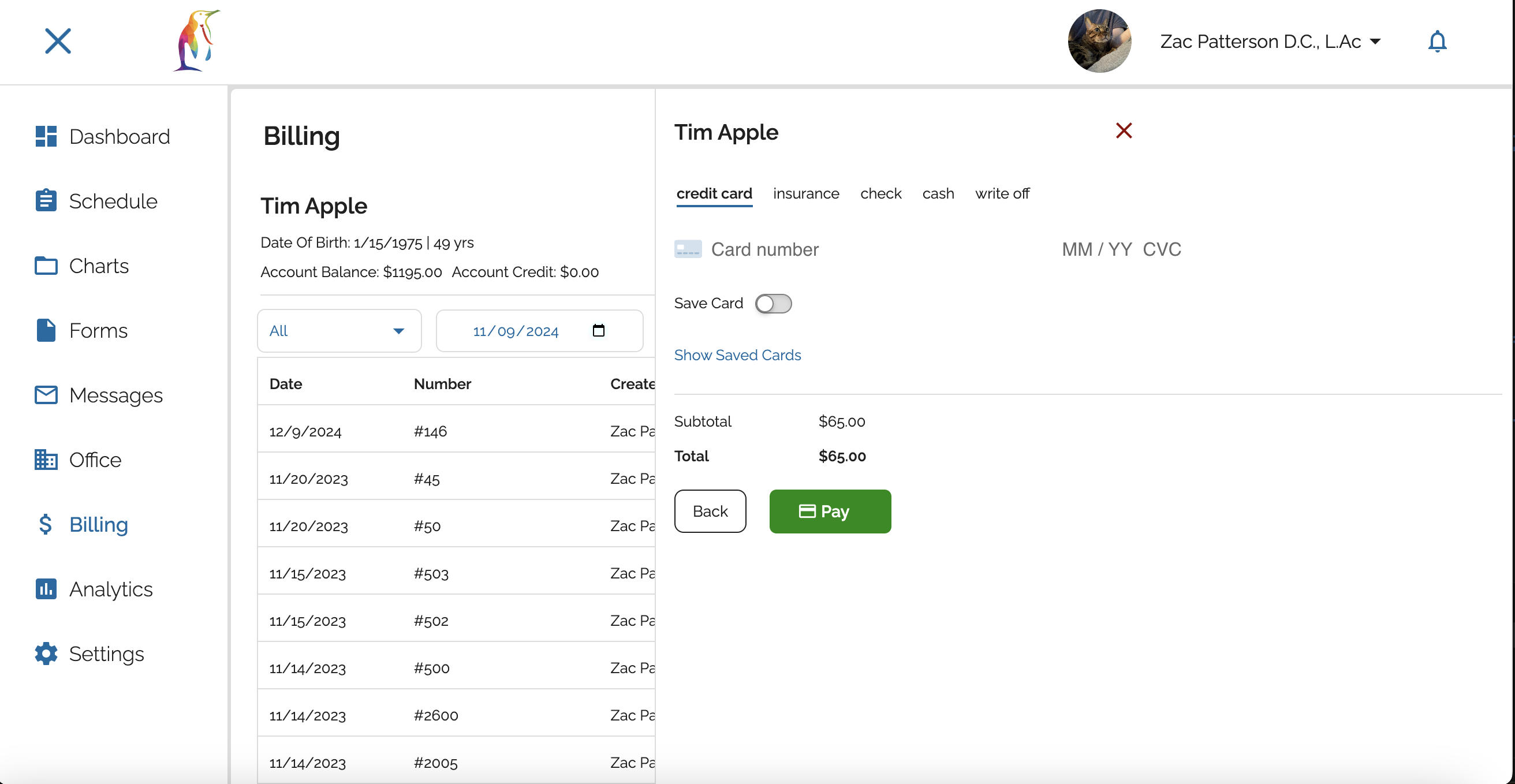
FrostEHR includes an easy to use cart system where payments can be quickly collected for products and services. We offer the option to integrate with Stripe to process credit card payments.
checkModern cart system
checkTrack unpaid services
checkAccept credit cards
Claims
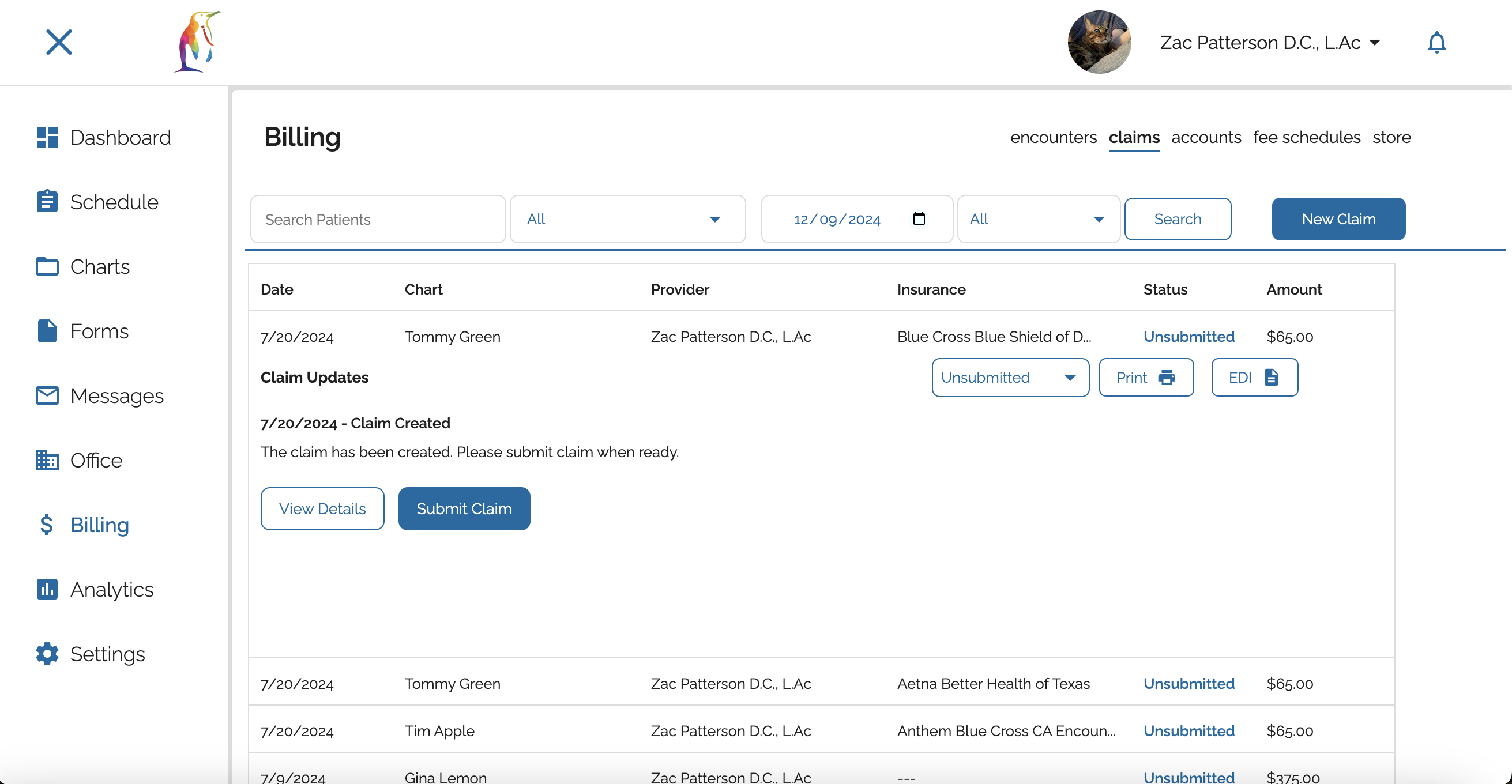
Once a note is complete, FrostEHR automatically generates a billing encounter and prefills all available appointment information. From the encounter, insurance claims, superbills, and invoices can be easily created. Claims can be printed in either the HCFA 1500 or 837p format. Insurance claims can be submitted directly to Office Ally if you have an Office Ally account.
checkHCFA 1500 & 837p claim format
checkOffice Ally integration
checkSuperbills
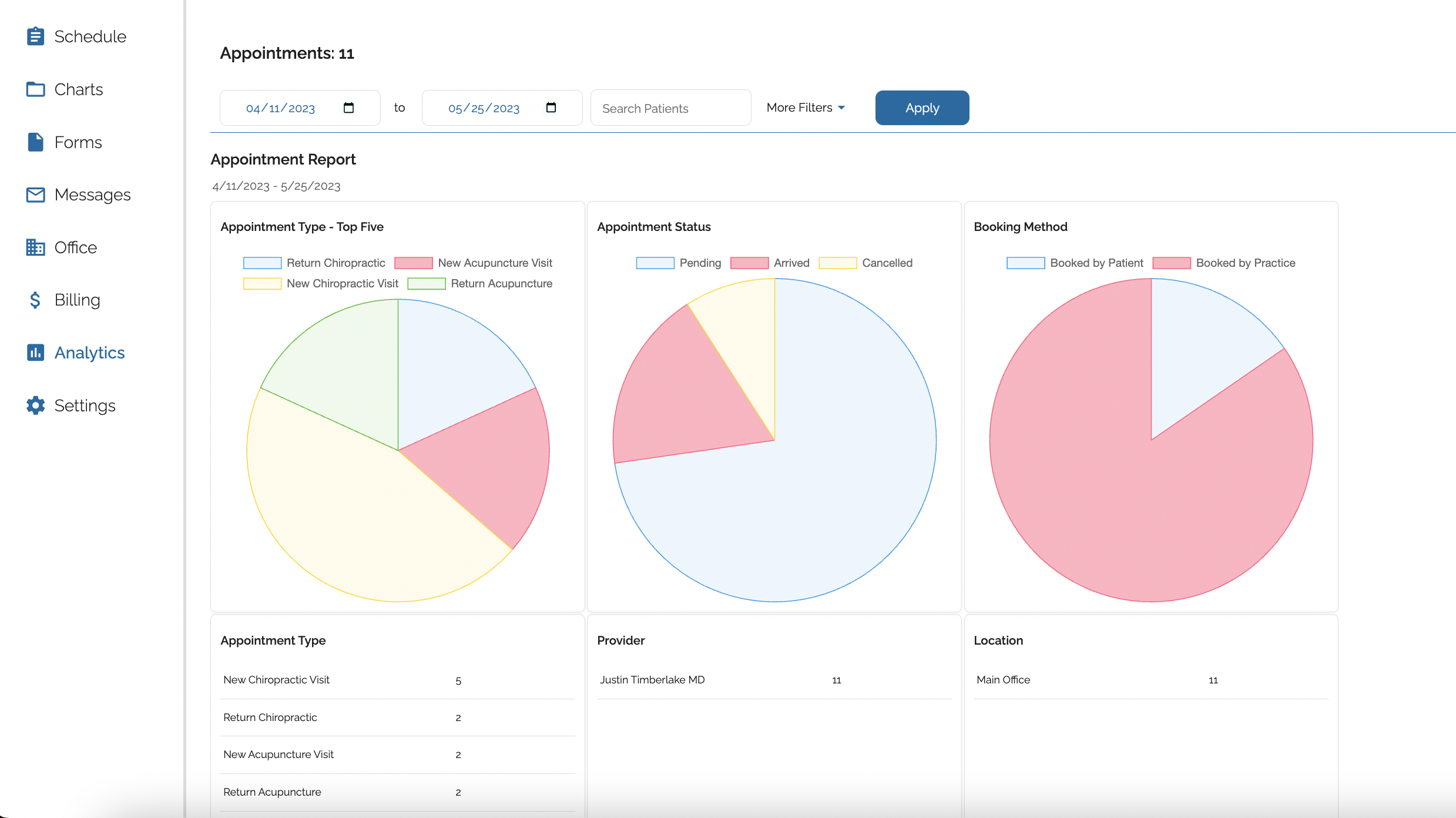
Analytics
Run reports to analyze data for your practice's appointments, income, and insurance claims.
checkTrack appointment data
checkMonitor practice income
checkView claim statistics